➜ Next.js 에서 네이버 지도 api 사용해서 지도 그리기
- 현재 위치 좌표 가져오기, 좌표로 주소 데이터 가져오기, 특정 좌표에 마커 표시하기
지도 그리기
const mapRef = useRef<NaverMap | null>(null);

useEffect(() => {
    // 지도 그리기
    if (!mapRef.current) {
      mapRef.current = new naver.maps.Map(mapId, {
        center: new naver.maps.LatLng(loc[0], loc[1]),
        zoom: initMapLevel,
        minZoom: 7,
      });
    }
  }, []);

 return (
    <div className="flex flex-row">
      <div id={mapId} className="w-[60%] h-[550px] bg-gray-100"></div>
    </div>
  );
1. useRef로 NaverMap 객체 관리
➭ mapRef.current에 NaverMap 객체를 저장해 컴포넌트가 리렌더링 되어도 지도 객체는 계속 유지
2. 지도 그리기
➭ mapRef.current가 null일 때만 지도 객체 초기화
➭ mapId와 일치하는 DOM 요소를 찾아 지도 객체를 그림
➭ center : 지도 초기 중심 좌표 설정
➭ zoom : 지도 확대 레벨
➭ minZoom : 최소 확대 수준 레벨 제한
3. HTML 요소 - 지도 생성 위치 설정
➭ 지도가 실제로 렌더링될 영역에 id={mapId} 설정
⇣ mapId와 초기 값들은 따로 정의해 두었다.
const mapId = 'map';
const initMapLevel = 14;
const initLoc: Coordinates = [37.5666103, 126.9783882]; // 서울 중심
⇣ 타입 설정
export type NaverMap = naver.maps.Map;
type Lng = number;
type Lat = number;
export type Coordinates = [Lng, Lat];
현재 위치 좌표와 주소 가져오기
// 현재 위치 가져오기
  const getCurrentLocation = () => {
    try {
      navigator.geolocation.getCurrentPosition(
        (position) => {
          const currentLoc: Coordinates = [
            position.coords.latitude,
            position.coords.longitude,
          ];
          setLoc(currentLoc);
          updateAddress(currentLoc);
        },
        () => {
          console.error('위치 권한 거부');
          setAddress('현재 위치를 찾을 수 없습니다.');
        },
      );
    } catch (error) {
      console.error('Geolocation error', error);
      setAddress('현재 위치를 찾을 수 없습니다.');
    }
  };
1. Geolocation API 사용해 사용자 현재 위치 추적
➭ [위도, 경도] 저장 후 현재 위치 좌표 업데이트
➭ 현재 좌표로 주소 가져오기 함수 호출
// 지도 중심 업데이트
  const updateMapCenter = (newCenter: naver.maps.LatLng) => {
    if (mapRef.current) {
      mapRef.current.setCenter(newCenter);
      mapRef.current.setZoom(initMapLevel);
    }
  };

// 주소 가져오기
  const updateAddress = (coordinates: Coordinates) => {
    const newCenter = new naver.maps.LatLng(coordinates[0], coordinates[1]);
    naver.maps.Service.reverseGeocode(
      { coords: newCenter },
      (status, response) => {
        if (status === naver.maps.Service.Status.OK) {
          const newAddress = response.v2.address.jibunAddress;
          setAddress(newAddress);
          updateMapCenter(newCenter);
        } else {
          console.error('Address error');
          setAddress('주소를 찾을 수 없습니다.');
        }
      },
    );
  };
2. 주소 가져오고 지도 중심 업데이트
➭ naver.maps.LatLng 객체로 중심 좌표를 현재 좌표로 저장
➭ naver.maps.Service.reverseGeocode : 위도, 경도 기반으로 주소 조회
➭ api 요청 성공 시 주소 저장 및 업데이트
➭ 지도 중심 업데이트 함수 호출
마커 표시하기
 // 마커 표시하기
  const createMarkers = () => {
    if (mapRef.current) {
      coordinates.forEach(({ latitude, longitude }) => {
        new naver.maps.Marker({
          map: mapRef.current as naver.maps.Map,
          position: new naver.maps.LatLng(latitude, longitude),
          icon: {
            url: '/images/pool-marker.svg',
            scaledSize: new naver.maps.Size(40, 40),
          },
        });
      });
    }
  };
1. [위도, 경도] 객체 배열을 받아옴
➭ map : 마커가 표시될 지도
➭ position : 마커가 표시될 위치
➭ icon : 마커 아이콘 설정 / scaledSize : 지도에 표시될 아이콘 크기 설정
결과 화면
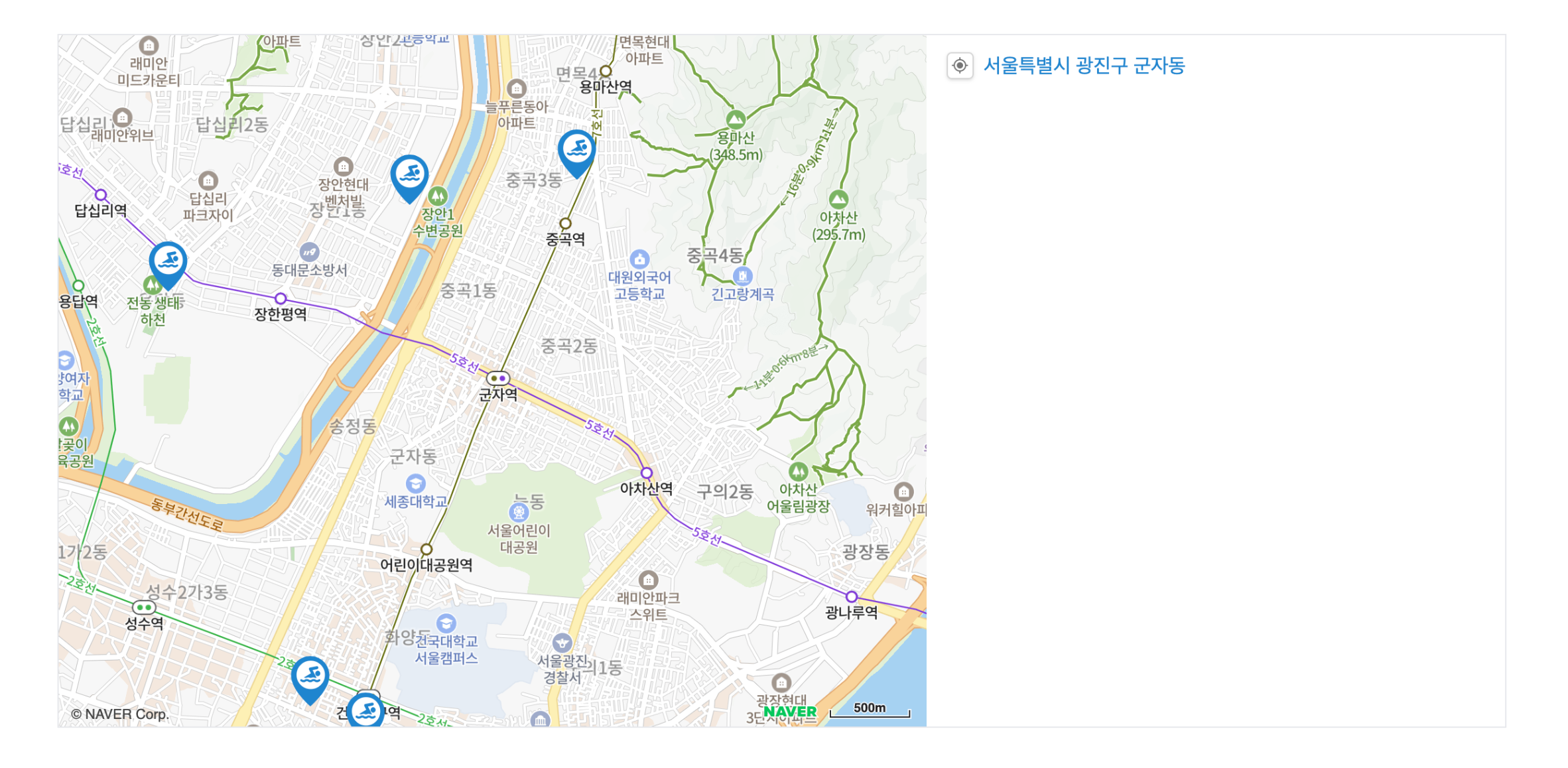
참고
'Next.js' 카테고리의 다른 글
| [Next.js + Naver Map API] 보이는 지도 영역의 마커만 표시하기 (Typescript) (0) | 2025.02.24 |
|---|---|
| [Next.js] Supabase PostGIS로 거리순 데이터 정렬하기 (1) | 2025.02.24 |
| [Next.js] Supabase 타입 Type 설정과 적용 (0) | 2025.02.14 |
| [Next.js] Supabase 연동ㅣ데이터 가져오기 (0) | 2025.02.13 |
| [Next.js 폰트 최적화] 로컬 폰트 Local Font 적용 (0) | 2025.01.17 |


